

Tuple supports copying and pasting text between computers. Super helpful when you’re working on code together!To use this feature, you can cmd + c any text value and use cmd + v to paste it: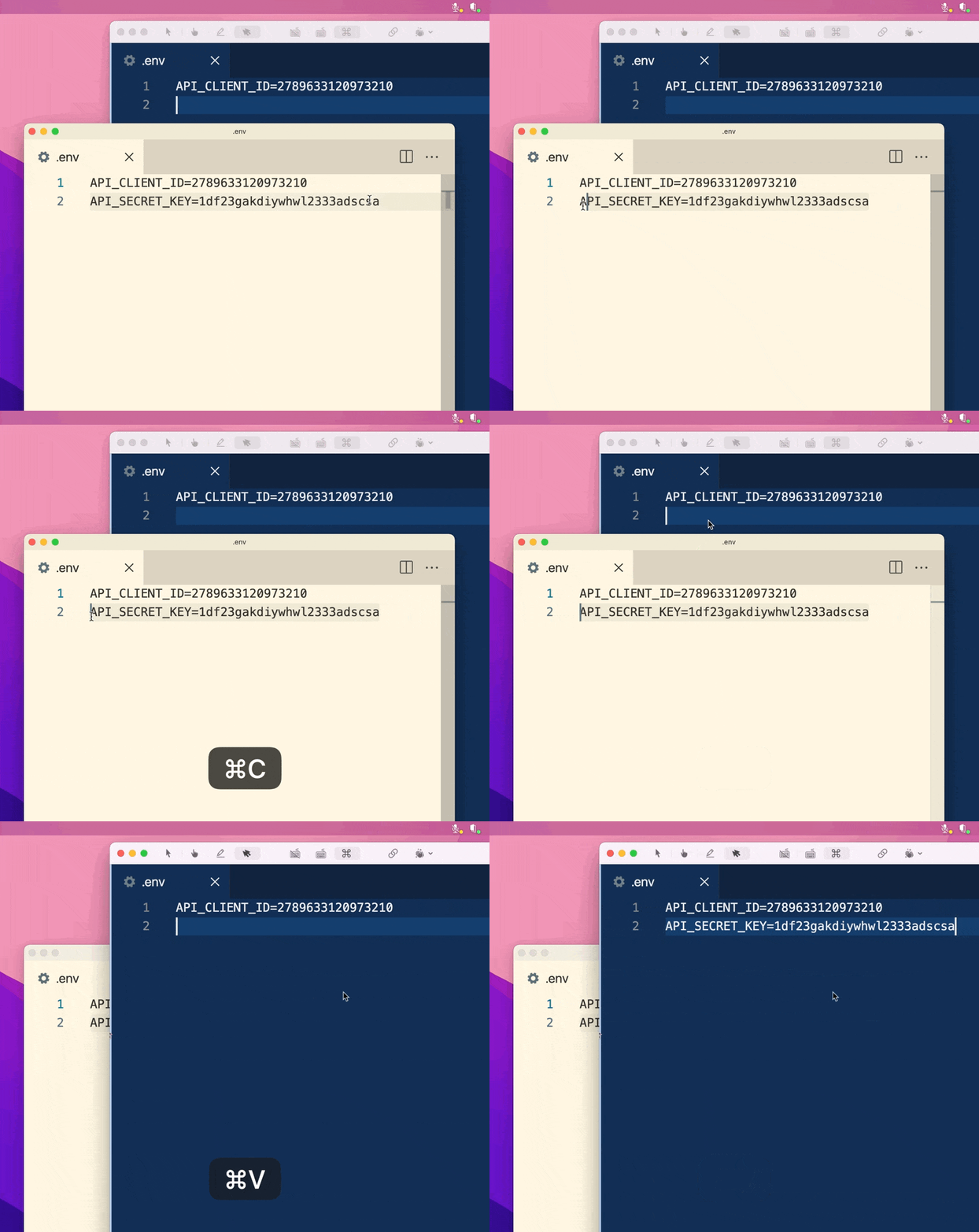
Cross-machine clipboard actions come from the person viewing the shared screen. When you are sharing your screen, your copy and paste shortcuts continue to use only your own clipboard.
- Copy text from your computer, mouse over the Tuple window, and paste the text on their computer.
- Select something on your pair’s computer, copy it, and paste it to your computer.
- Copy text from your pair’s computer and paste it elsewhere on their computer, without changing their clipboard.
- Copy text from your computer and paste it elsewhere on your computer, without changing their clipboard.
- Copy text from your computer and paste it elsewhere on your computer, without changing your pair’s clipboard.
- Work with your clipboard normally as if you weren’t pairing.