

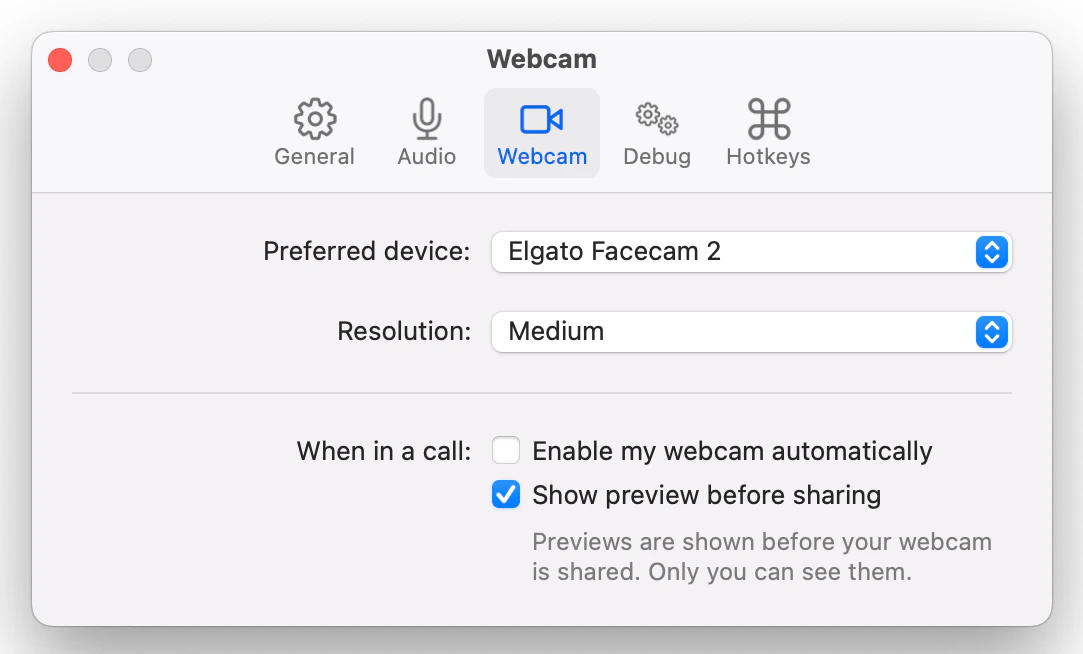
Preferred device
Which device Tuple should use by default when sharing your webcam video.Resolution
This is the resolution for webcam video shared while you are pairing. Setting the resolution will automatically change the resolution on any current and future calls. If you have a high-speed connection and want maximum webcam quality, set this higher. If you’re working with a relatively poor connection, set your preference to a lower resolution to reduce latency on the call. The settings correspond to the following resolution:- Low: 160x120
- Medium: 320x240
- High: 640x480