
If you are the Team Owner for a team with an active or trial subscription, you can access the billing portal by selecting “Manage billing on Stripe” on your team management page. You will see the following “Manage billing on Stripe” button: Team management page with the Manage billing on Stripe button highlighted This will take you to a Stripe billing portal page where you can make modifications to your existing subscription, and download past statements.

To add a new payment method:

If there is currently no payment method on file (if your team is in a trial), you can add a new payment method by clicking on “Add payment method”: Stripe billing portal with the Add payment method button highlighted

To update the existing payment method:

In order to delete a credit card on file, you will need to add a new one first. You can add a new payment method by using the button mentioned above.

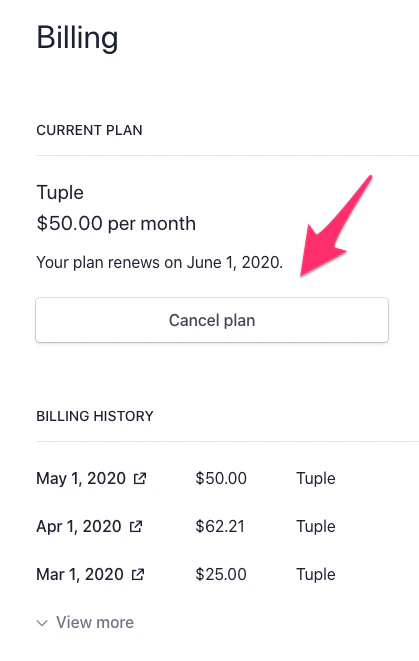
To cancel your subscription:

You can set your subscription to cancel at the end of the current period by selecting Cancel plan: Stripe billing portal showing plan management and cancellation options
To update the billing email address (that receives invoices):

Update the value under BILLING INFORMATION Email: Billing information section with the invoice email field highlighted