Having trouble getting Tuple notifications to show up on macOS?Navigate to
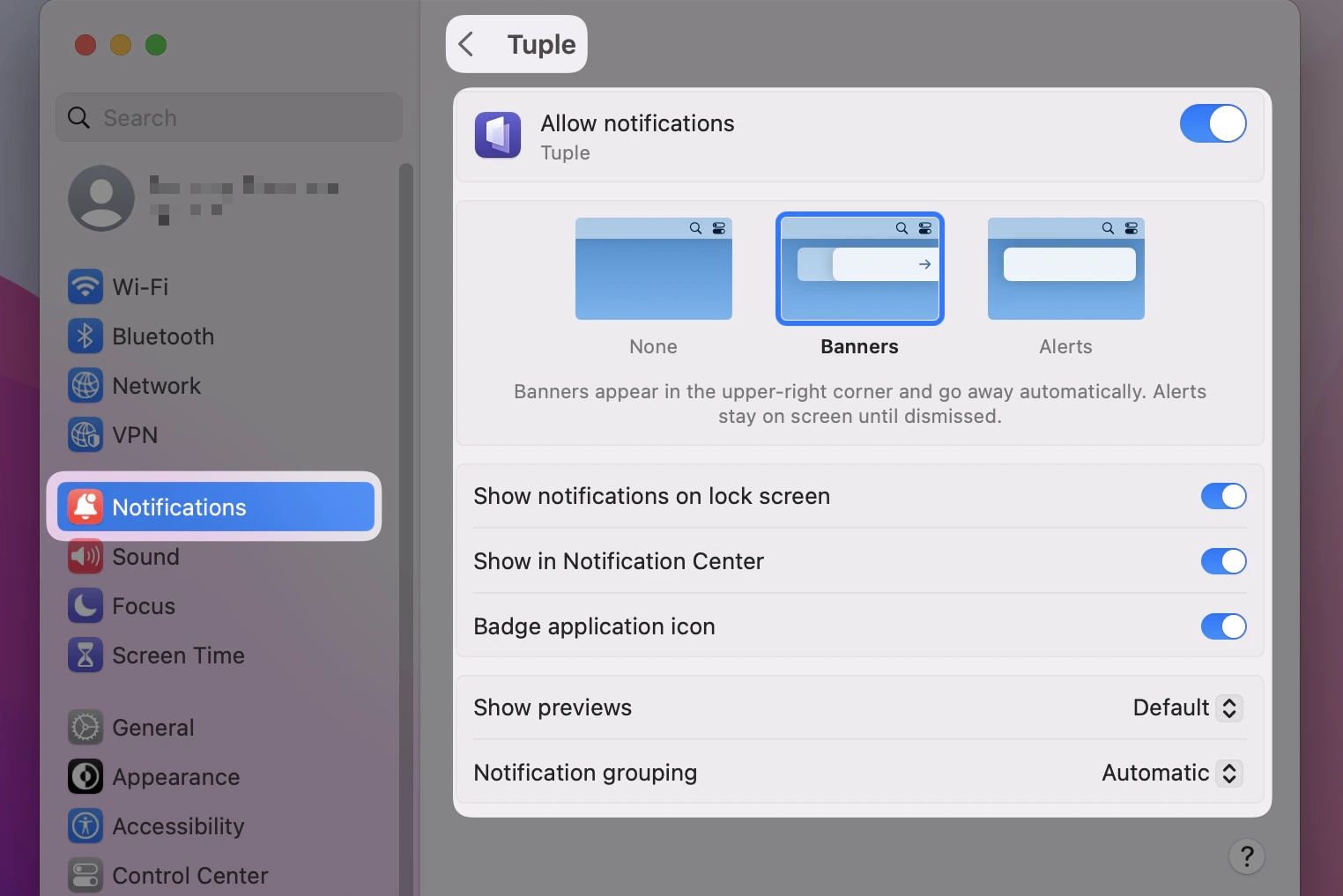
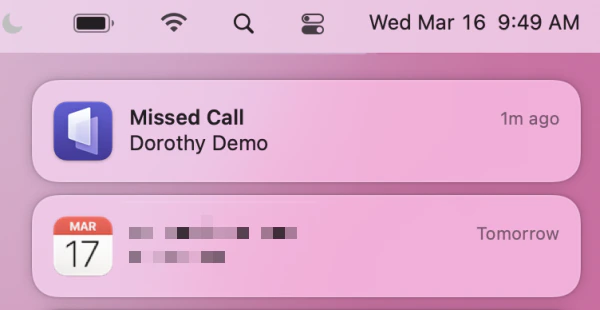
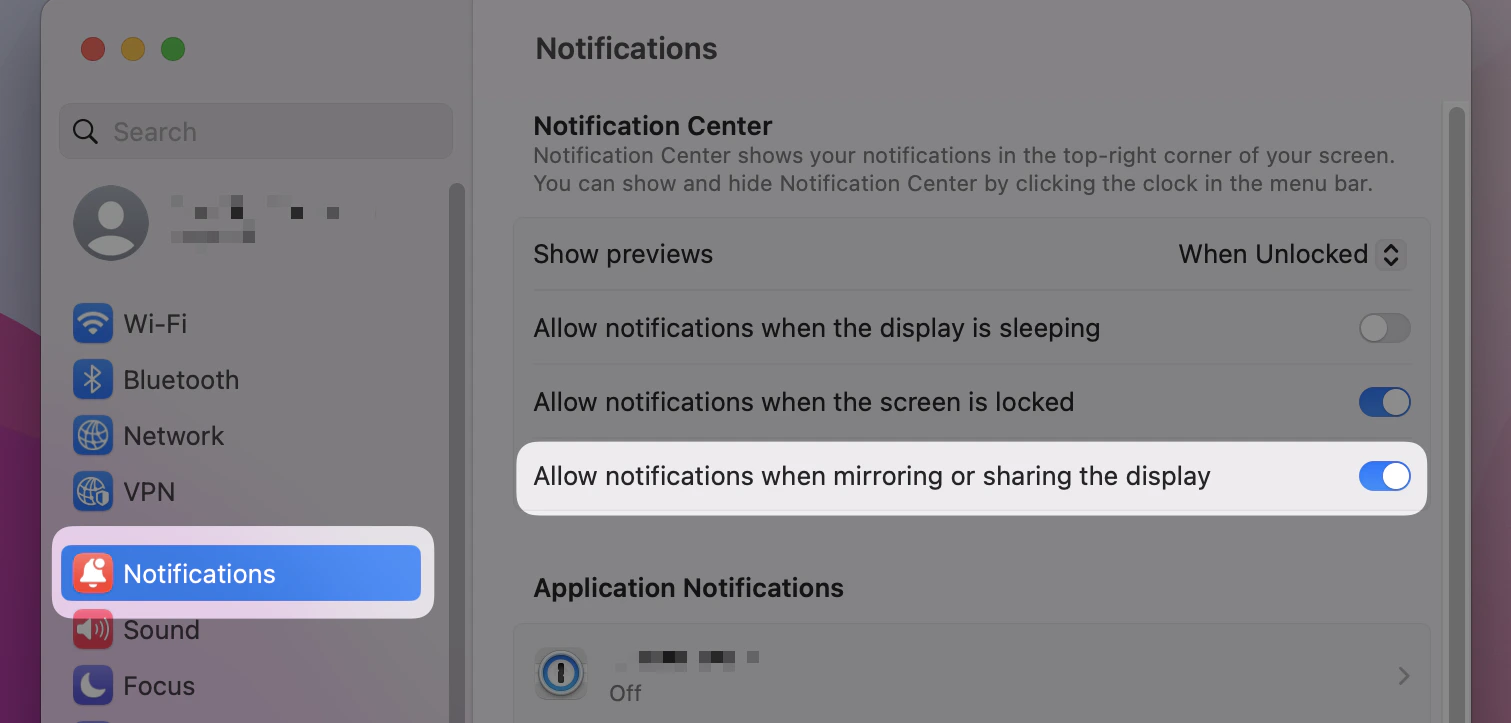
System Settings > Notifications > Tuple. Your settings should look something like this:Then you should see notifications in the center, such as one like this if you miss a Tuple call:If you are still not seeing notifications, check that the following setting is enabled at the bottom of the profile in
System Settings > Notifications > The app you want to receive notifications for:
Was this page helpful?
Assistant
Responses are generated using AI and may contain mistakes.