

Email addresses in OneLogin and Tuple must match exactly. For example,
dev+tuple@company.com does not match dev@company.com. Verify your team’s email addresses before enabling SSO.Tuple falls back to the SAML NameID when no email attribute is present in the response, so if your provider’s NameID defaults to something other than email (such as a username or UPN), set it to the user’s email address as well.1
Create a SAML connector
After signing in to your OneLogin account, click Applications > Applications in the top navigation bar.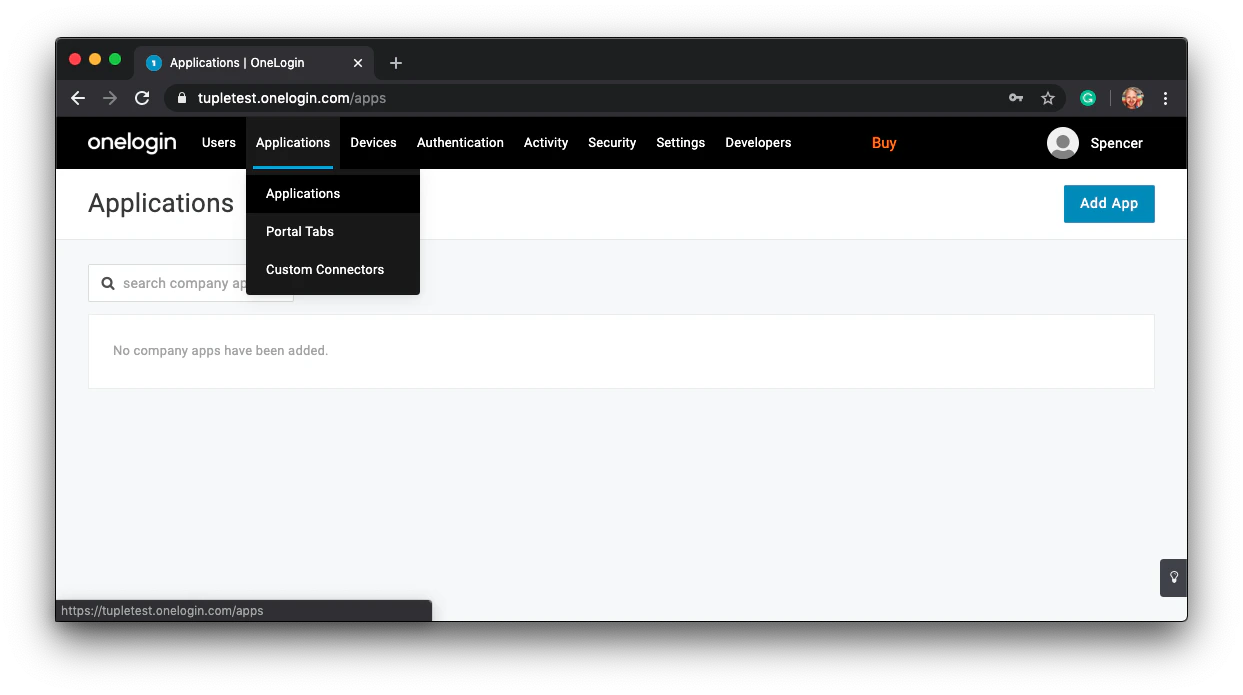
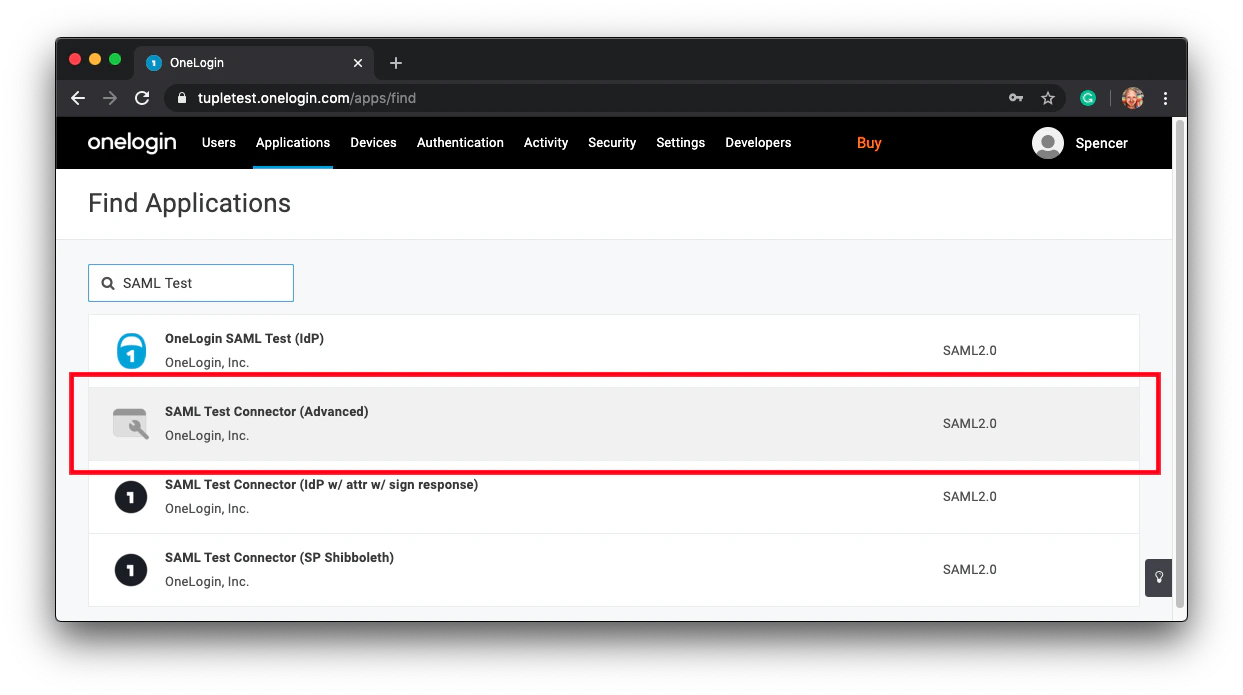
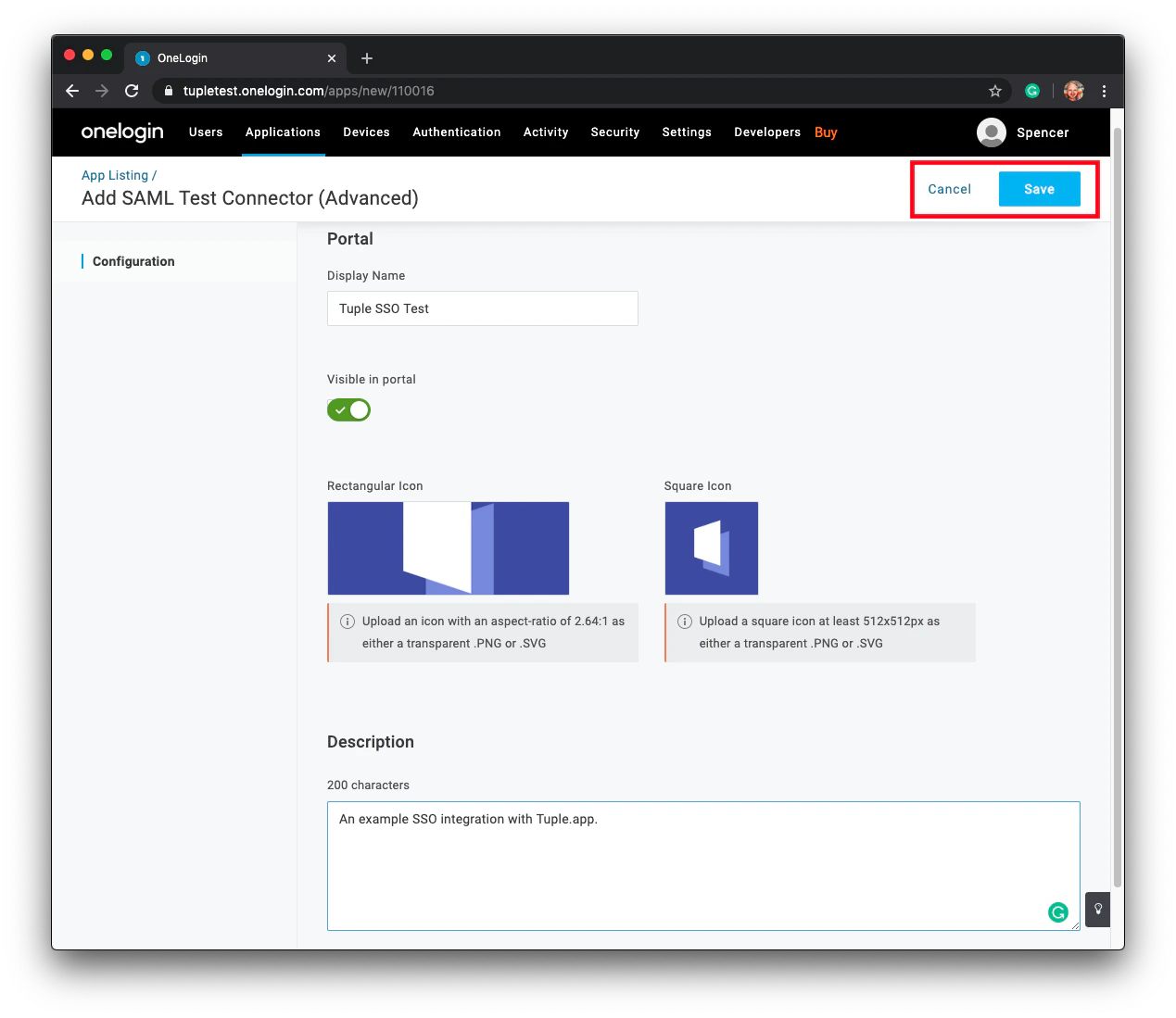
SAML Test and select SAML Test Connector (Advanced) from the results.2
Configure Tuple's metadata
After saving, click Configuration in the left-hand sidebar.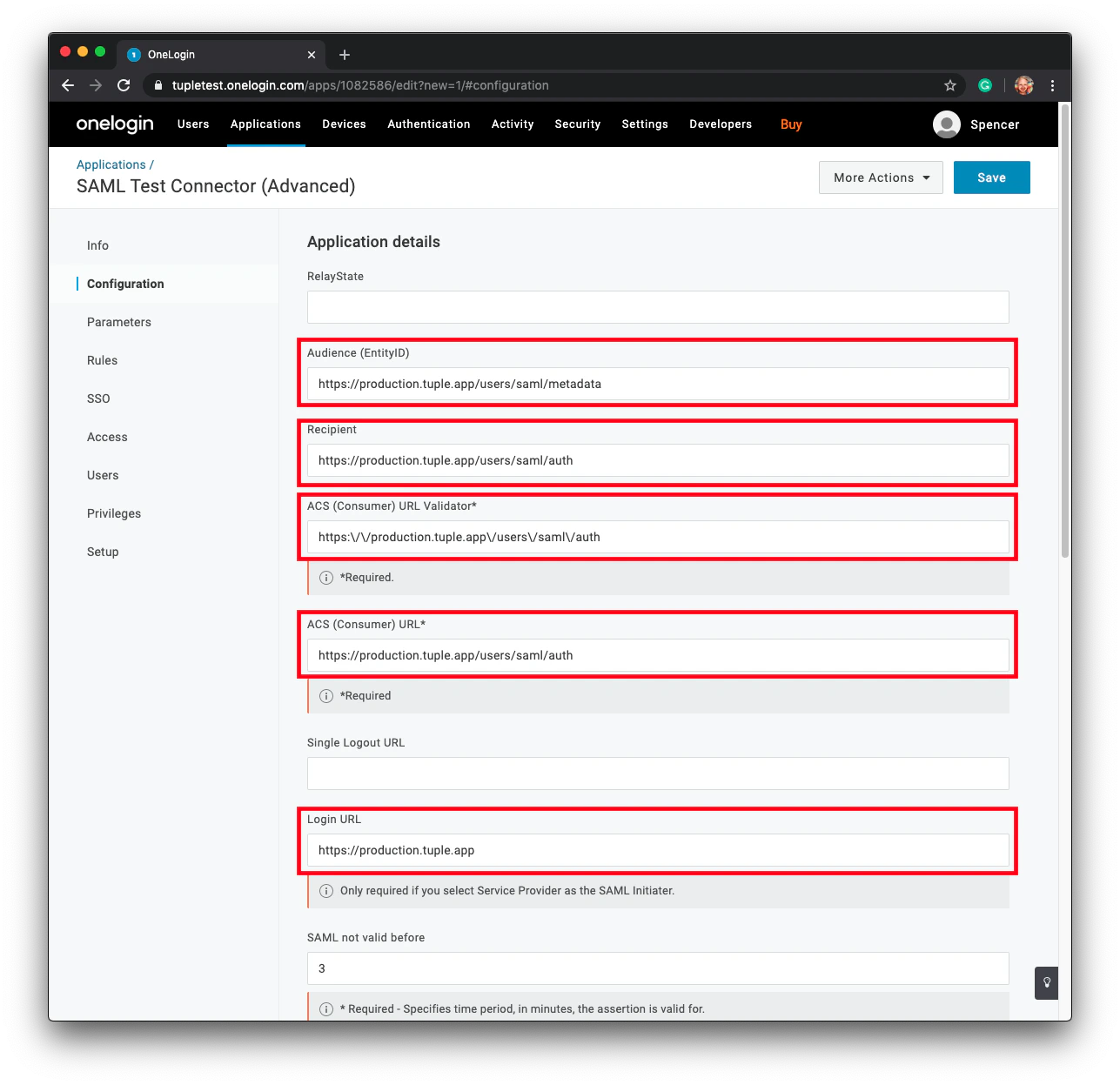
3
Attach required parameters
Navigate to the Parameters section in the sidebar and click the plus button to add new fields.Tuple requires three fields in the SSO response: 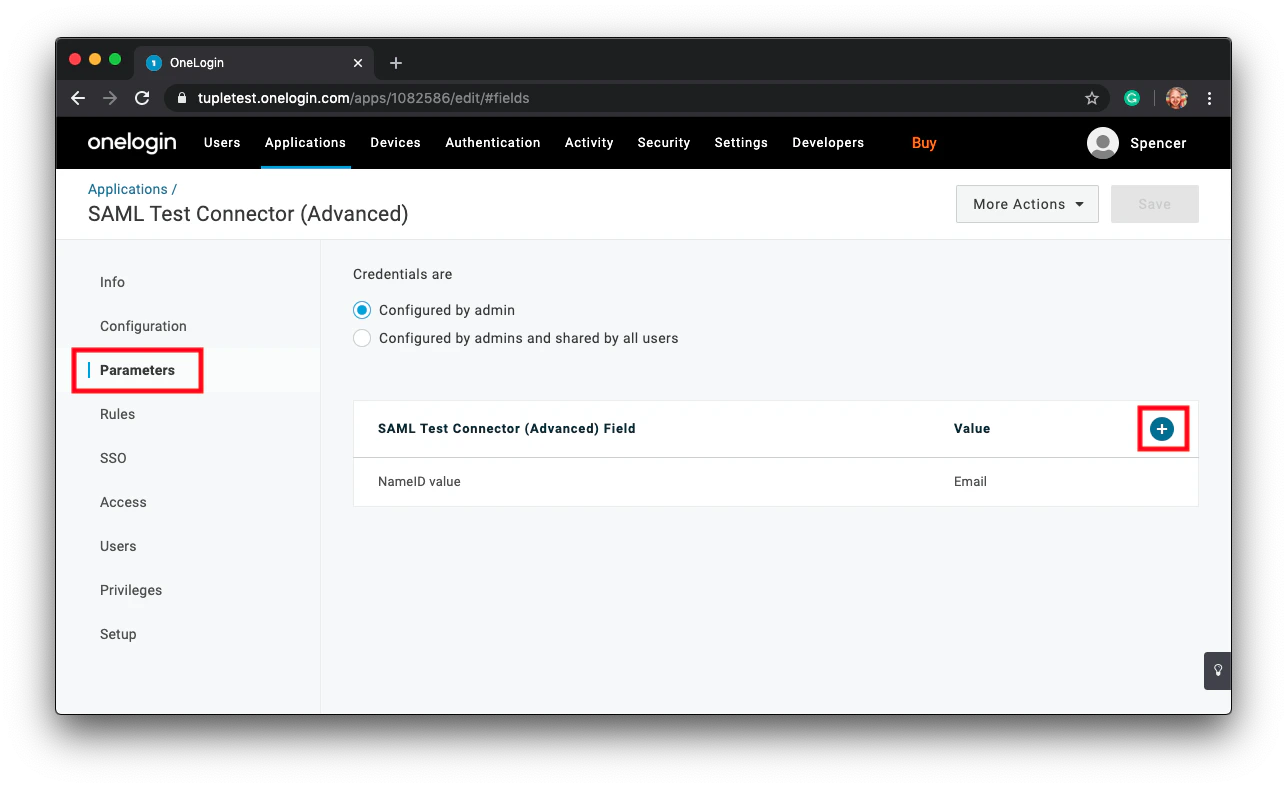
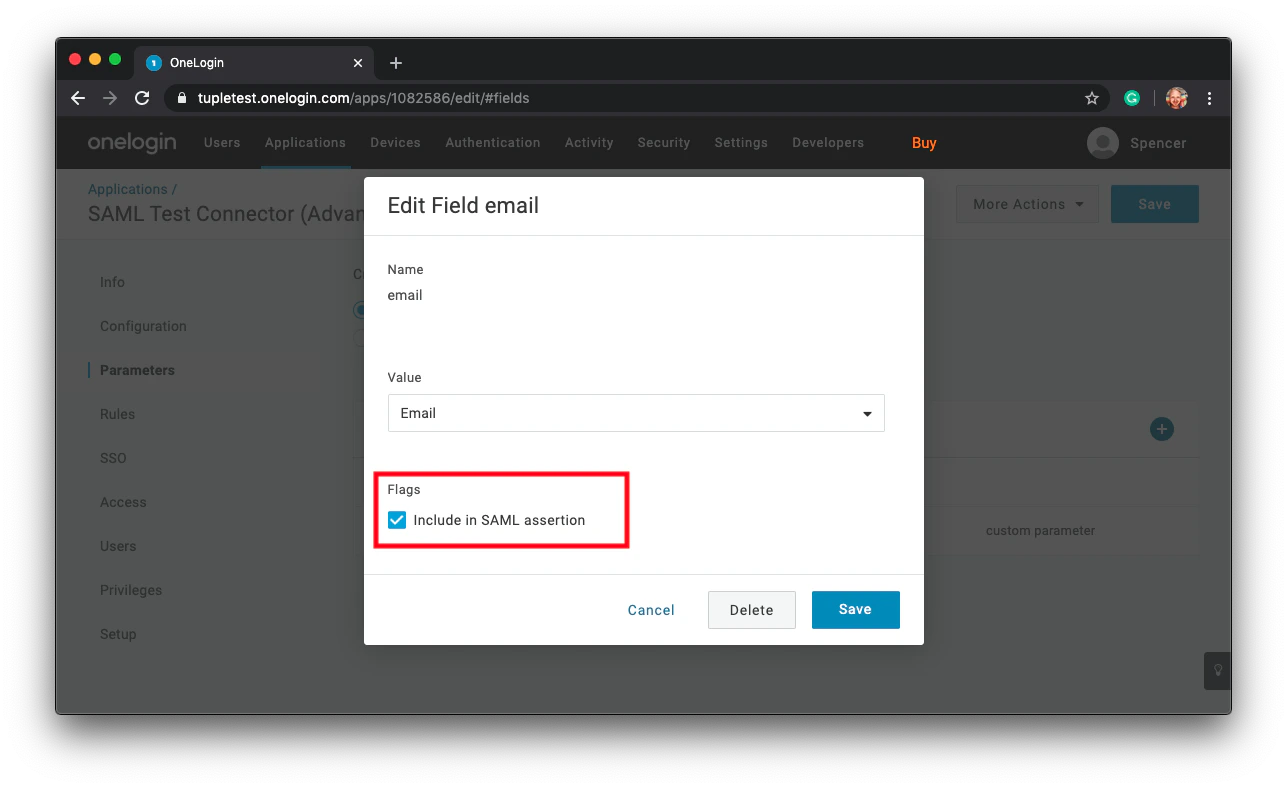
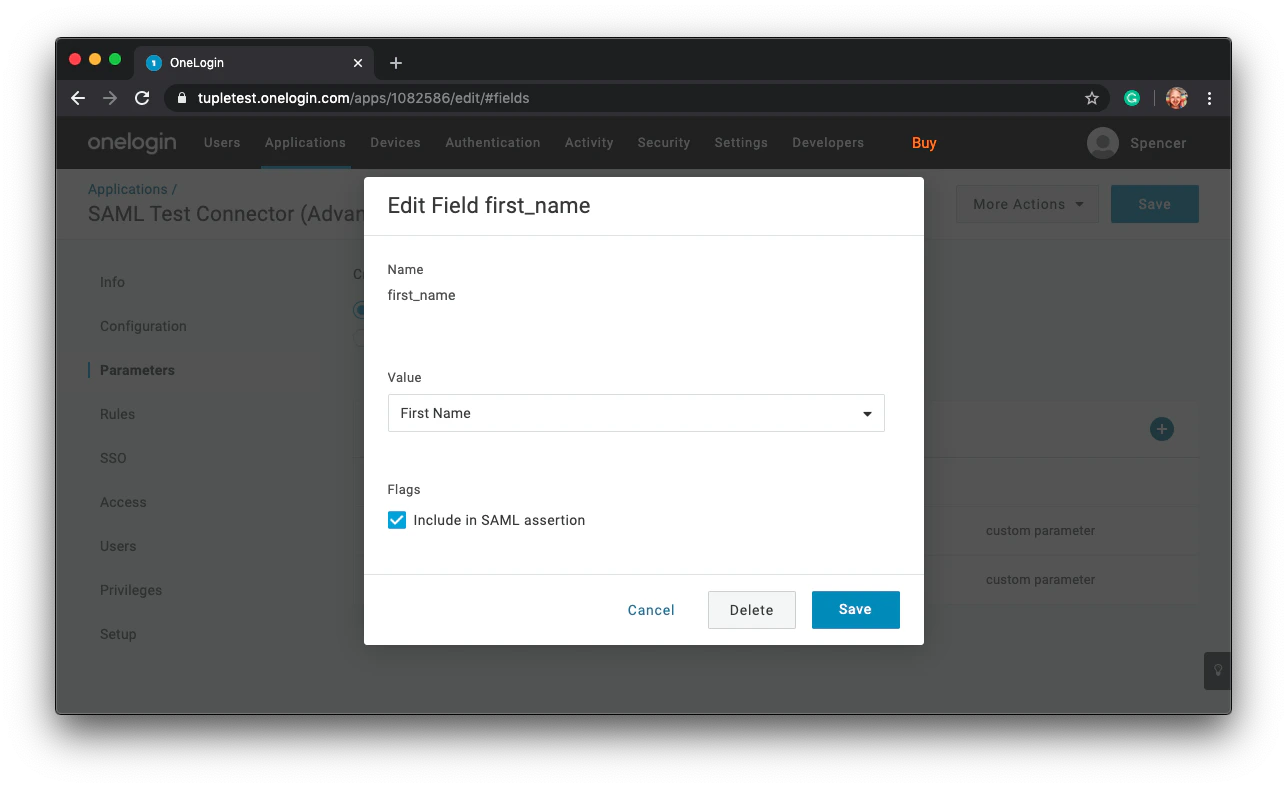
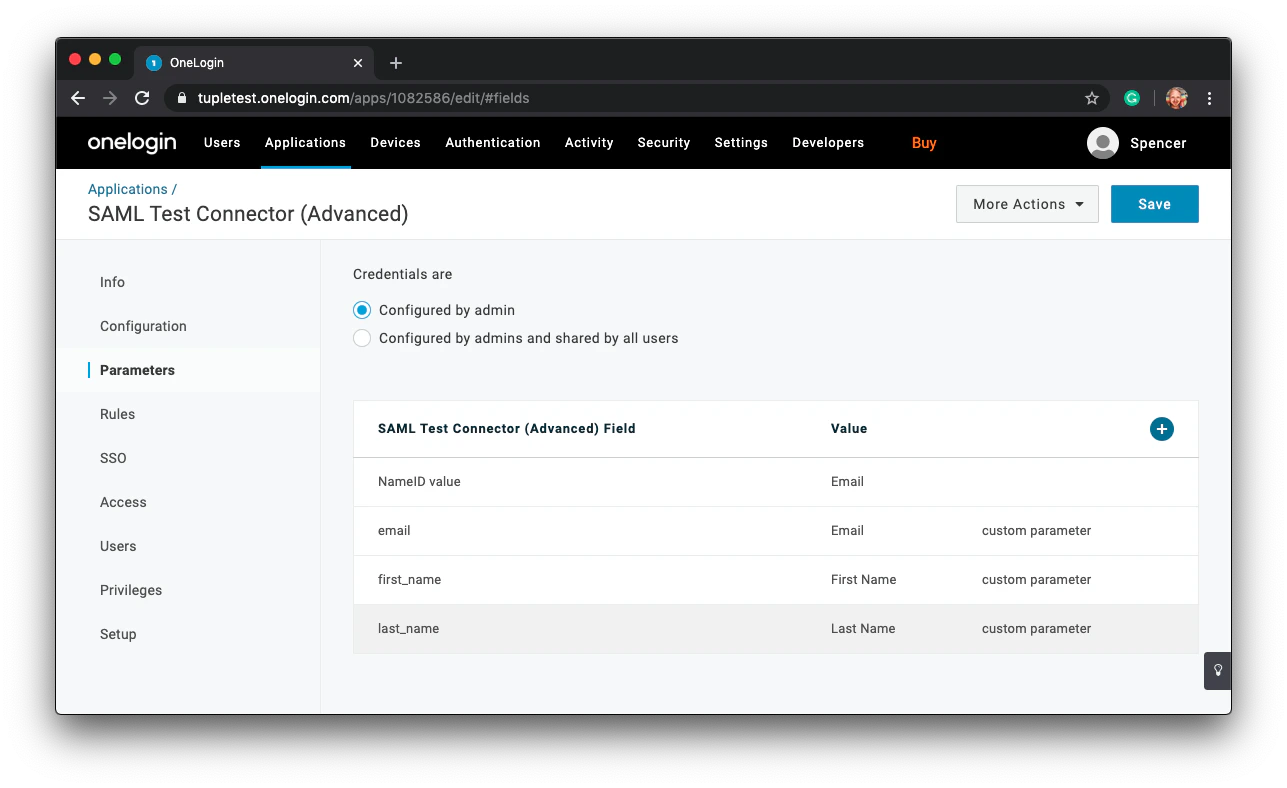
email, first_name, and last_name.first_name and last_name.4
Enable SAML in Tuple
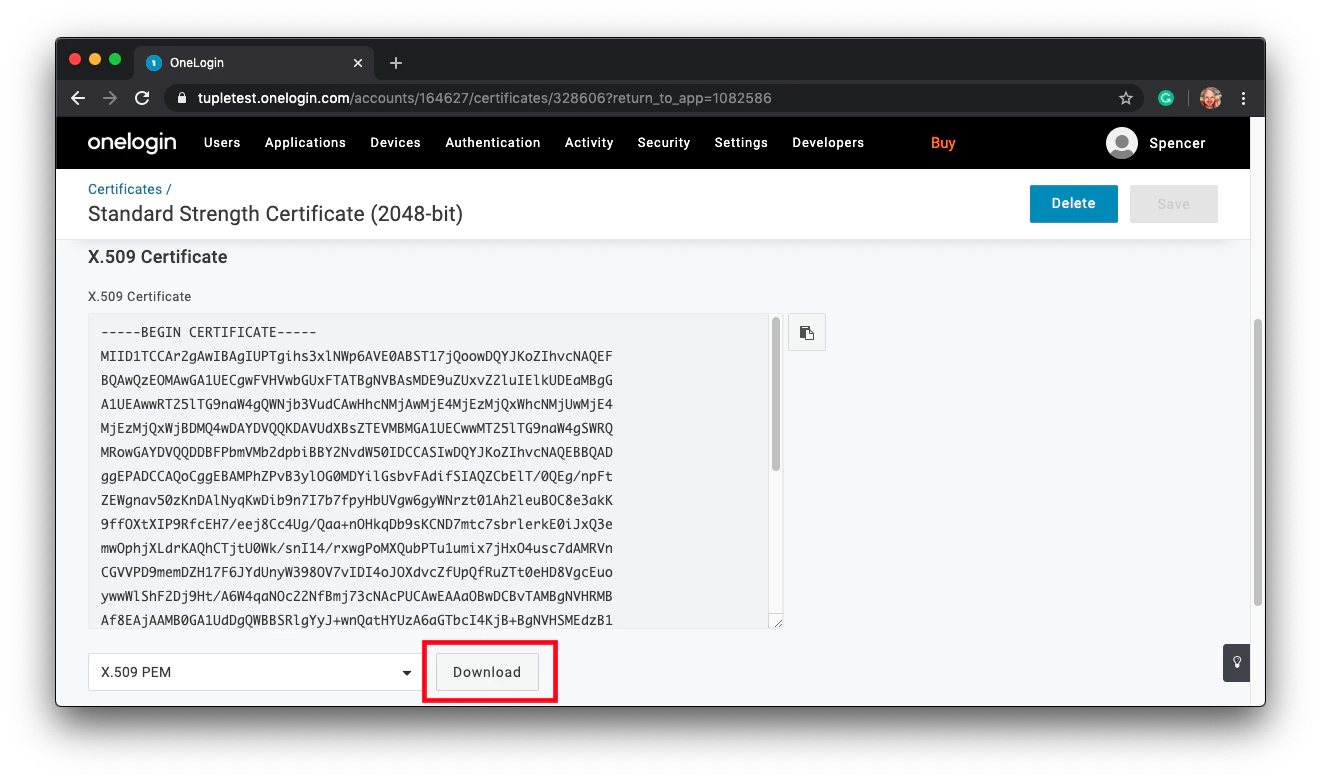
Download your X.509 certificate. Click SSO in the sidebar and find the link to View Details: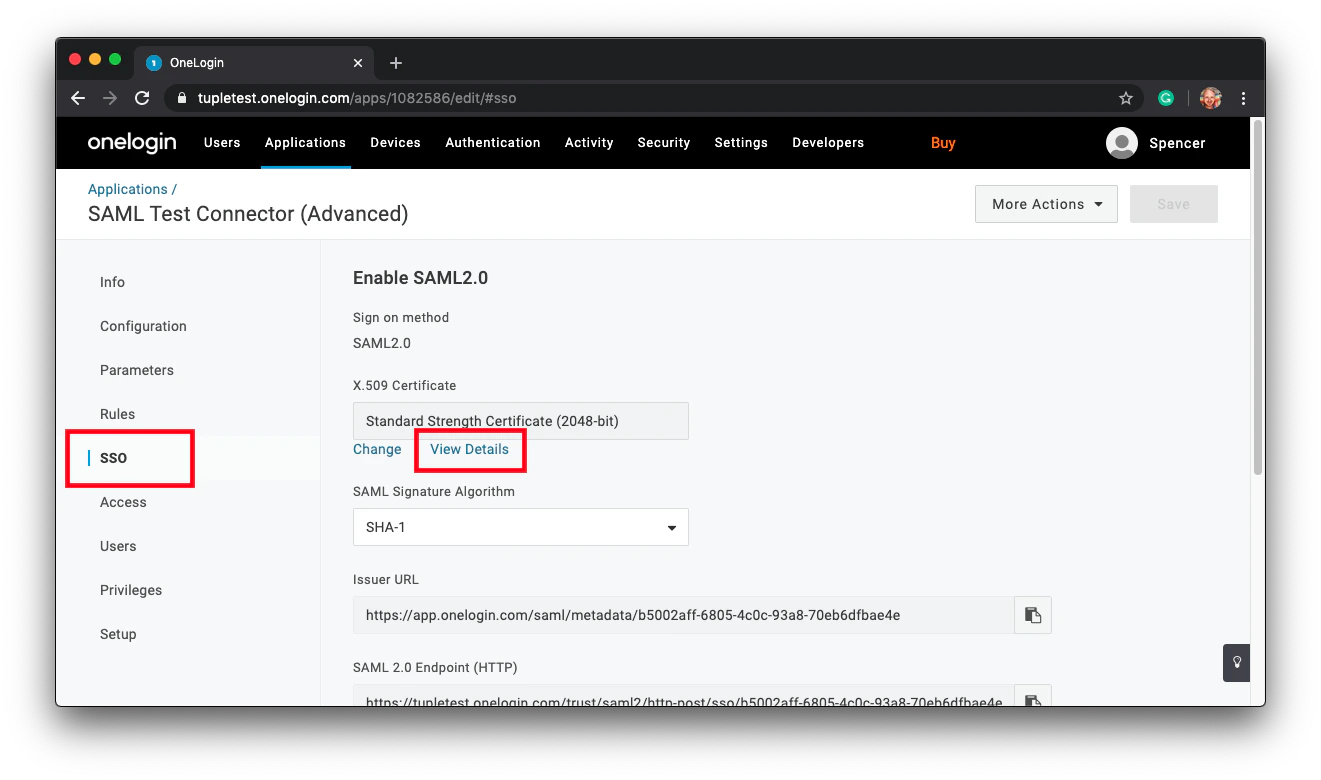
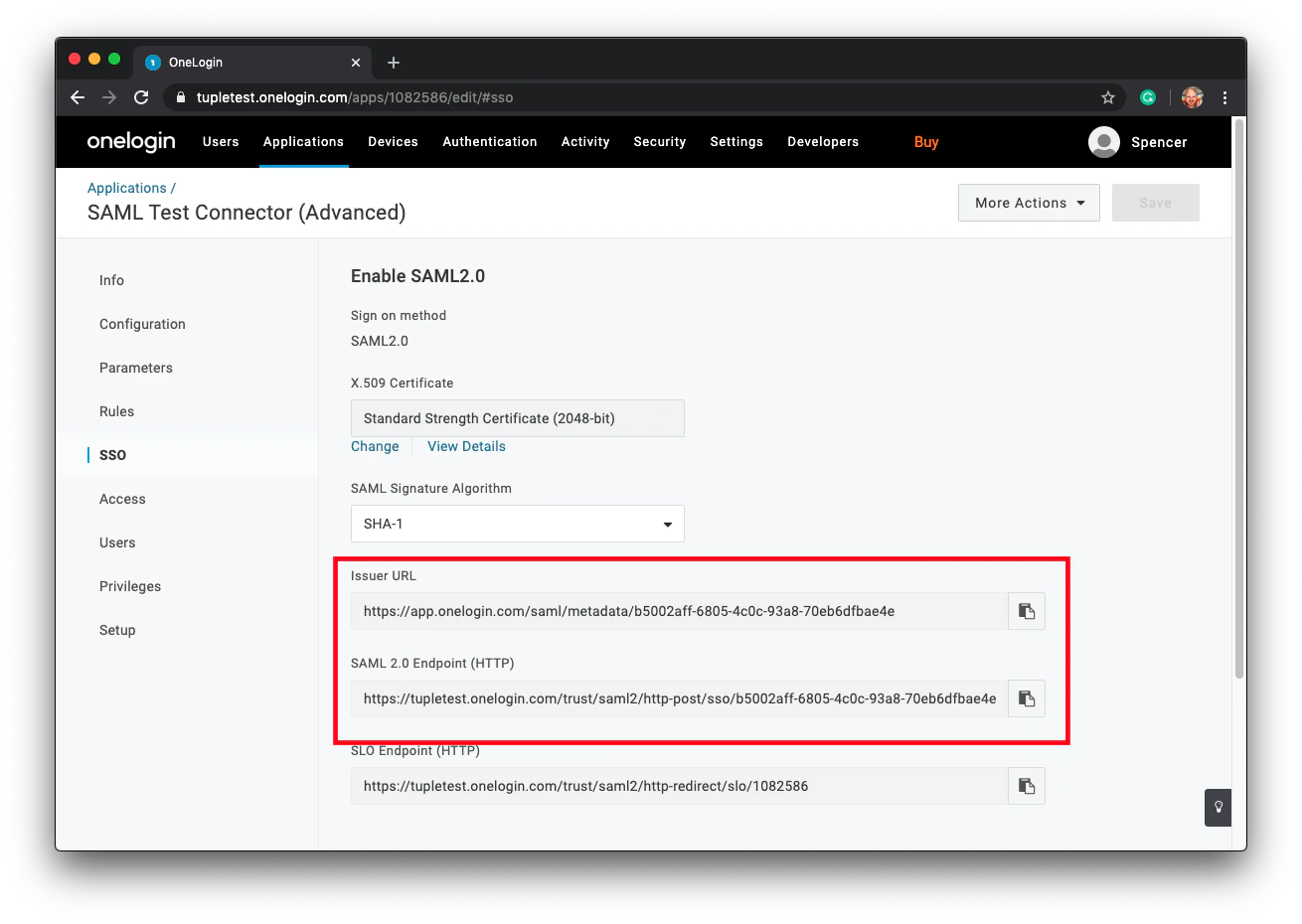
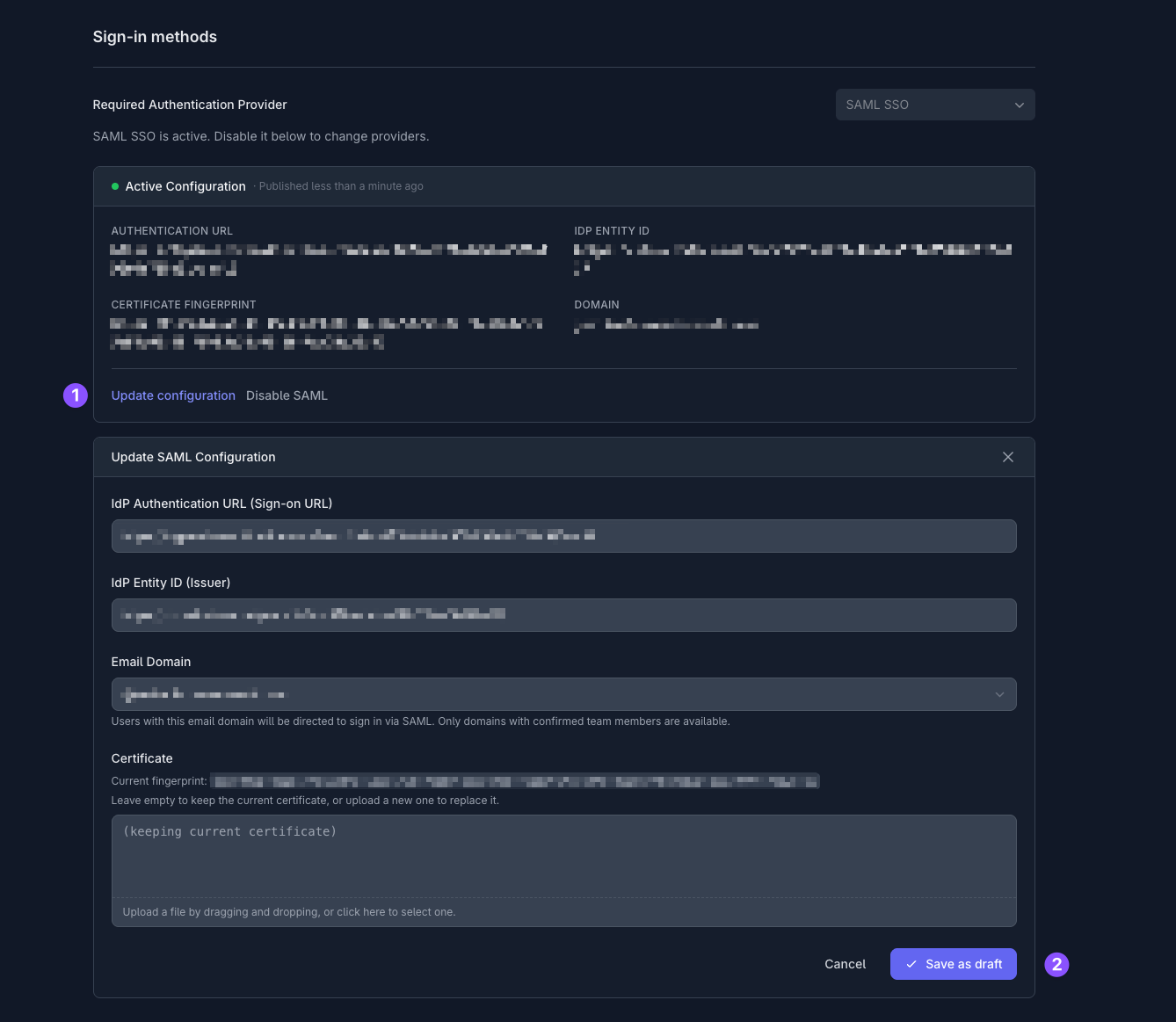
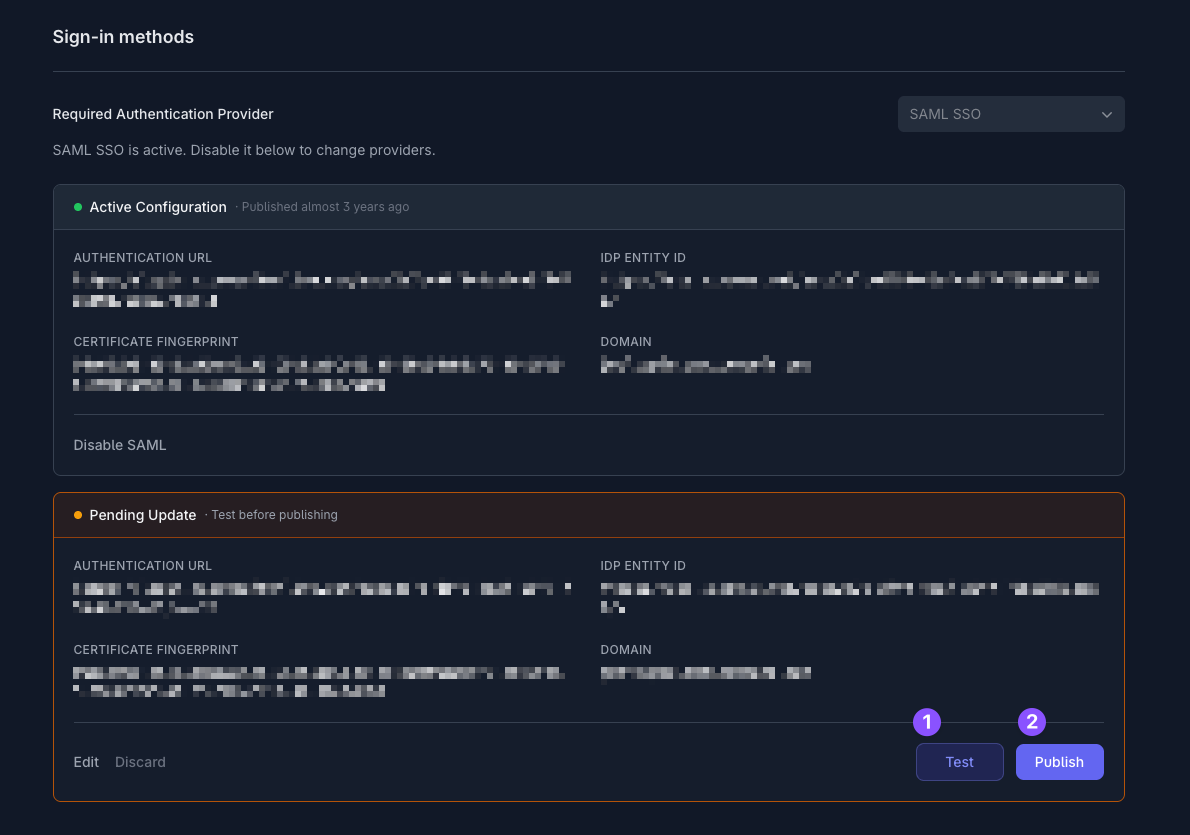
Only team owners can enable SAML. To find out who your team owner is, check your profile.