> ## Documentation Index
> Fetch the complete documentation index at: https://docs.tuple.app/llms.txt
> Use this file to discover all available pages before exploring further.
# Exporting Team Usage
Any Team Owner or Team Manager can pull a usage report for their team.
## Downloading your team's CSV user report
1. Head to [your team management page](https://production.tuple.app/team_management/usage) as a Team Owner or Team Manager.
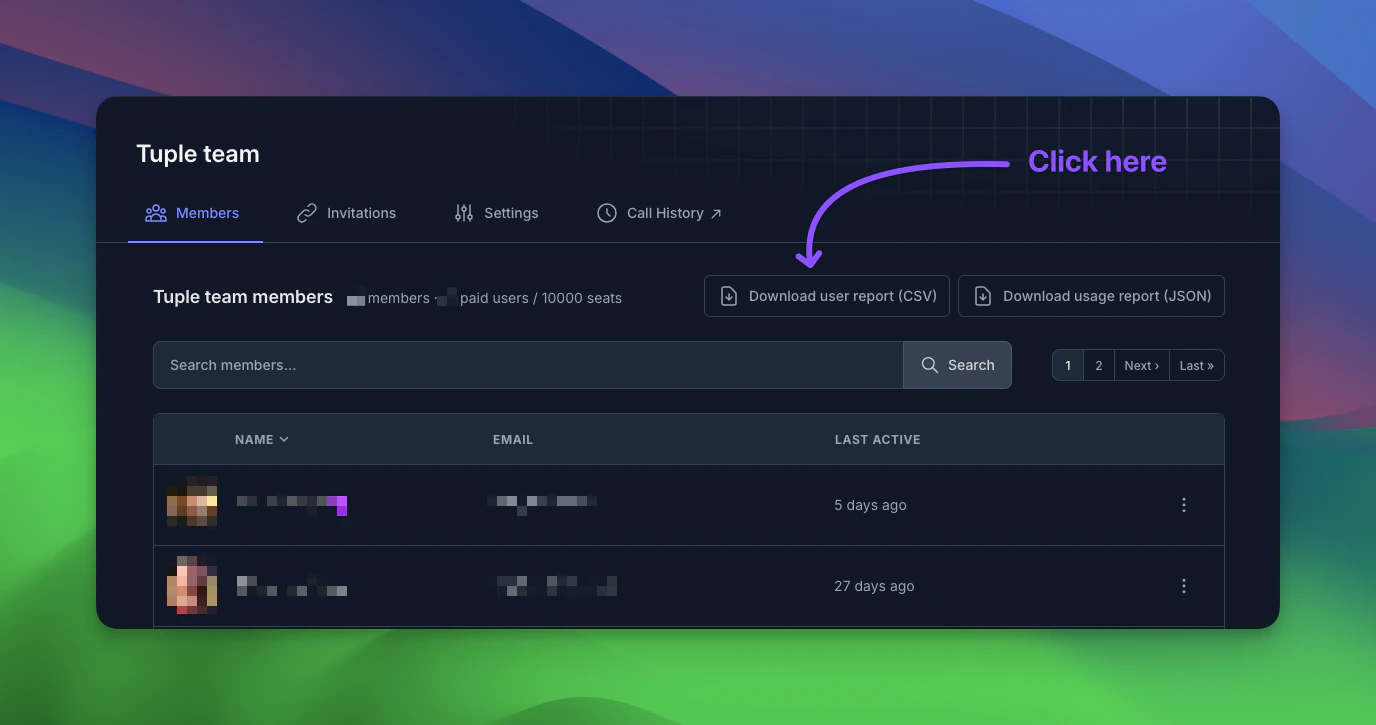
2. Click the "Download user report (CSV)" button:
 The downloaded team usage report has five columns:
**Email** - The user's email address.
**Name** - The user's name.
**Last pairing session date** - The last date and time when this user participated in a Tuple call.
**Account created date** - When this user joined the team (or was added via SCIM).
**Role** - "Team Manager" or "Team Owner" if the user holds that role.
## Downloading your team's JSON usage report
1. Head to [your team management page](https://production.tuple.app/team_management/usage) as a Team Owner or Team Manager.
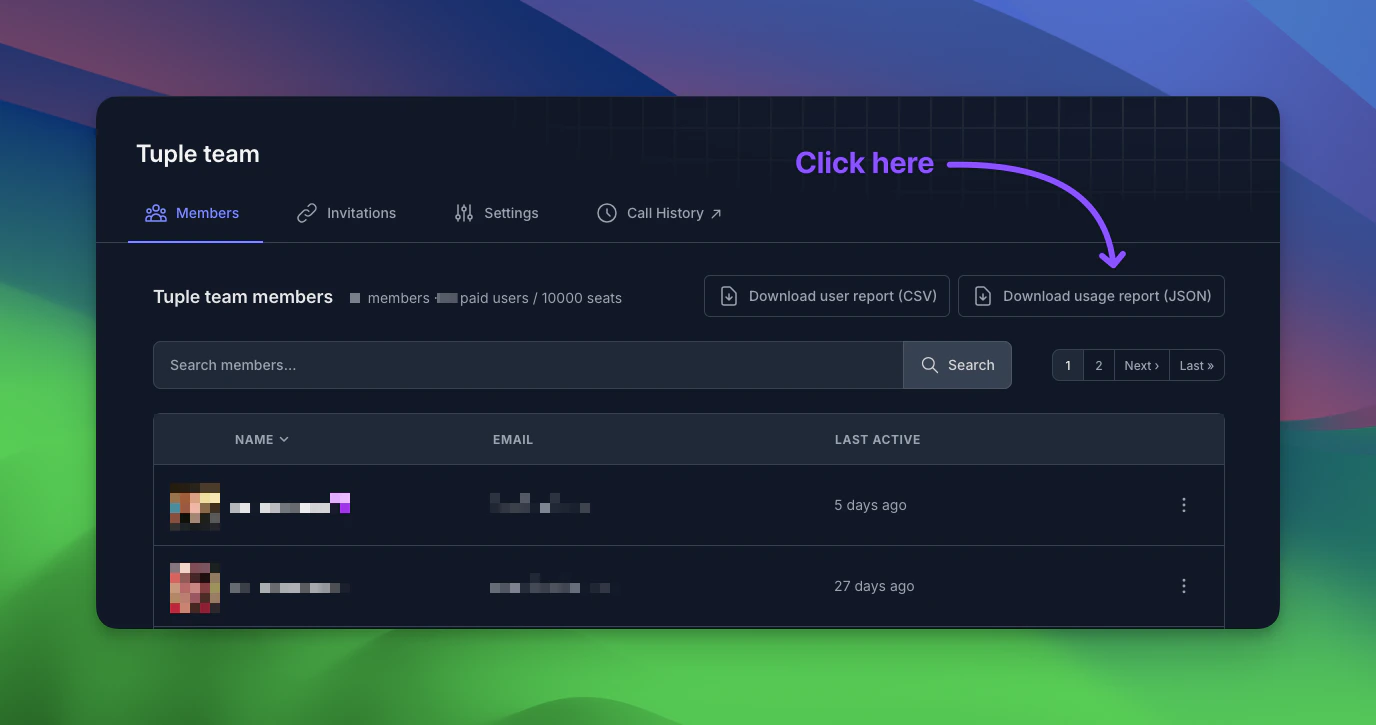
2. Click the "Download usage report (JSON)" button. This report will include all non-deleted team members, as well as call records going back **six months**:
The downloaded team usage report has five columns:
**Email** - The user's email address.
**Name** - The user's name.
**Last pairing session date** - The last date and time when this user participated in a Tuple call.
**Account created date** - When this user joined the team (or was added via SCIM).
**Role** - "Team Manager" or "Team Owner" if the user holds that role.
## Downloading your team's JSON usage report
1. Head to [your team management page](https://production.tuple.app/team_management/usage) as a Team Owner or Team Manager.
2. Click the "Download usage report (JSON)" button. This report will include all non-deleted team members, as well as call records going back **six months**:
 The downloaded team usage report adheres to the following JSON schema:
```
{
"$schema": "http://json-schema.org/draft-07/schema#",
"type": "object",
"properties": {
"team_members": {
"type": "array",
"items": {
"type": "object",
"properties": {
"user_id": { "type": "integer" },
"name": { "type": "string" },
"email": { "type": "string", "format": "email" },
"last_sign_in": { "type": ["string", "null"], "format": "date-time" },
"created_at": { "type": "string", "format": "date-time" },
"last_call_at": { "type": ["string", "null"], "format": "date-time" }
},
"required": ["user_id", "name", "email", "created_at"]
}
},
"calls": {
"type": "array",
"items": {
"type": "object",
"properties": {
"call_id": { "type": "string", "format": "uuid" },
"participants": {
"type": "array",
"items": {
"type": "object",
"properties": {
"user_id": { "type": "integer" },
"name": { "type": "string" },
"email": { "type": "string", "format": "email" },
"duration_minutes": { "type": "integer", "minimum": 0 }
},
"required": ["user_id", "name", "email", "duration_minutes"]
}
},
"duration_minutes": { "type": "integer", "minimum": 0 },
"started_at": { "type": "string", "format": "date-time" },
"ended_at": { "type": "string", "format": "date-time" }
},
"required": ["call_id", "participants", "duration_minutes", "started_at", "ended_at"]
}
}
},
"required": ["team_members", "calls"]
}
```
The downloaded team usage report adheres to the following JSON schema:
```
{
"$schema": "http://json-schema.org/draft-07/schema#",
"type": "object",
"properties": {
"team_members": {
"type": "array",
"items": {
"type": "object",
"properties": {
"user_id": { "type": "integer" },
"name": { "type": "string" },
"email": { "type": "string", "format": "email" },
"last_sign_in": { "type": ["string", "null"], "format": "date-time" },
"created_at": { "type": "string", "format": "date-time" },
"last_call_at": { "type": ["string", "null"], "format": "date-time" }
},
"required": ["user_id", "name", "email", "created_at"]
}
},
"calls": {
"type": "array",
"items": {
"type": "object",
"properties": {
"call_id": { "type": "string", "format": "uuid" },
"participants": {
"type": "array",
"items": {
"type": "object",
"properties": {
"user_id": { "type": "integer" },
"name": { "type": "string" },
"email": { "type": "string", "format": "email" },
"duration_minutes": { "type": "integer", "minimum": 0 }
},
"required": ["user_id", "name", "email", "duration_minutes"]
}
},
"duration_minutes": { "type": "integer", "minimum": 0 },
"started_at": { "type": "string", "format": "date-time" },
"ended_at": { "type": "string", "format": "date-time" }
},
"required": ["call_id", "participants", "duration_minutes", "started_at", "ended_at"]
}
}
},
"required": ["team_members", "calls"]
}
```