> ## Documentation Index
> Fetch the complete documentation index at: https://docs.tuple.app/llms.txt
> Use this file to discover all available pages before exploring further.

# Adding more call participants

Sometimes when pairing, having more than two people in a session can be a huge help. Tuple allows **up to** **10 participants** on any call.

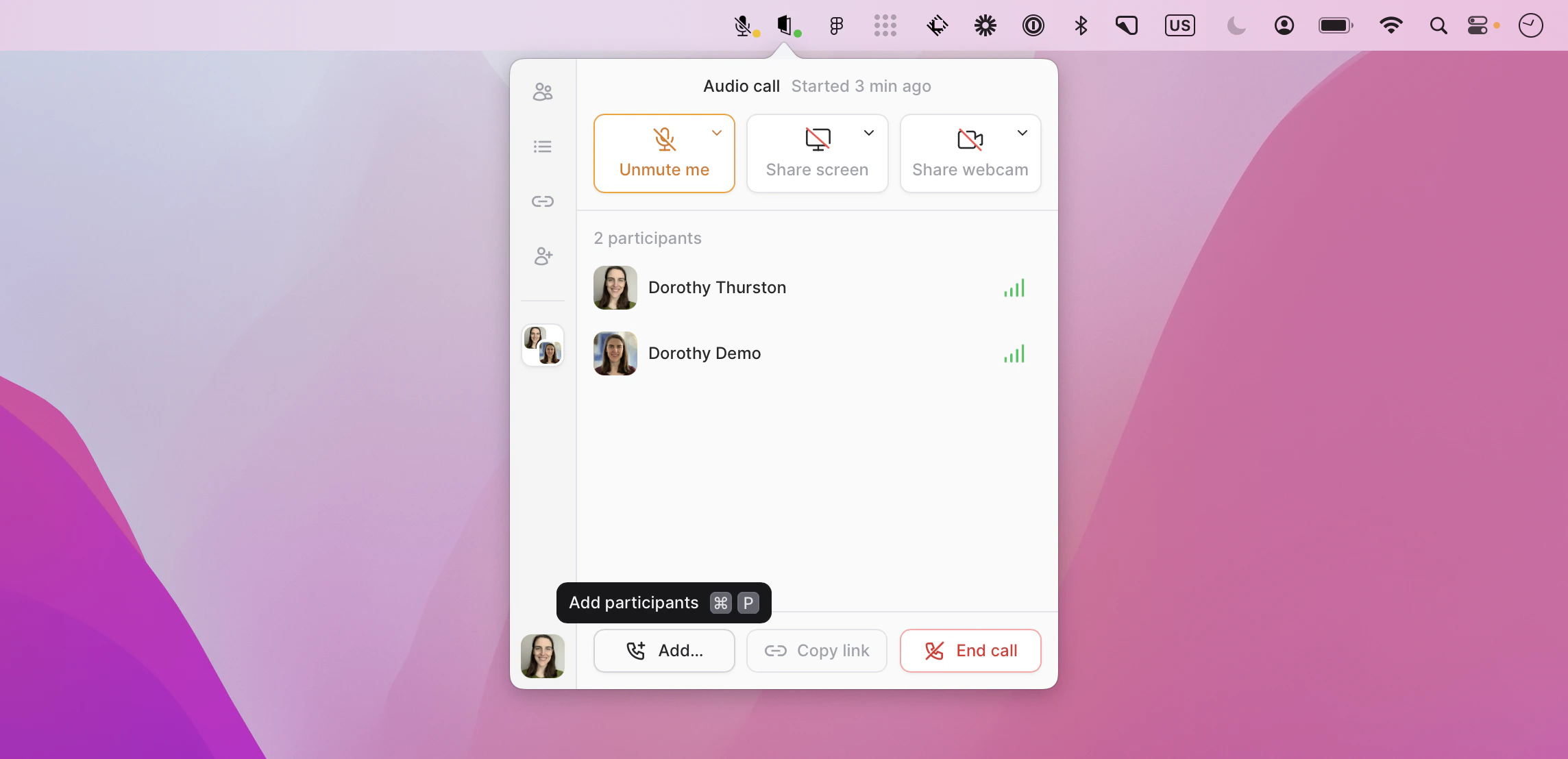
When in a call, anyone can add another participant with just two clicks. First, click "Add another participant":
<img src="https://mintcdn.com/tuple-0f82e5be/O4IiteXcXoa48ycm/images/pairing-with-tuple/adding-more-call-participants/add-another-participant-button.png?fit=max&auto=format&n=O4IiteXcXoa48ycm&q=85&s=ad75c2943ff014d0bc2e086f0e98f8c4" alt="Call controls with the Add another participant button highlighted" width="2288" height="1108" data-path="images/pairing-with-tuple/adding-more-call-participants/add-another-participant-button.png" />

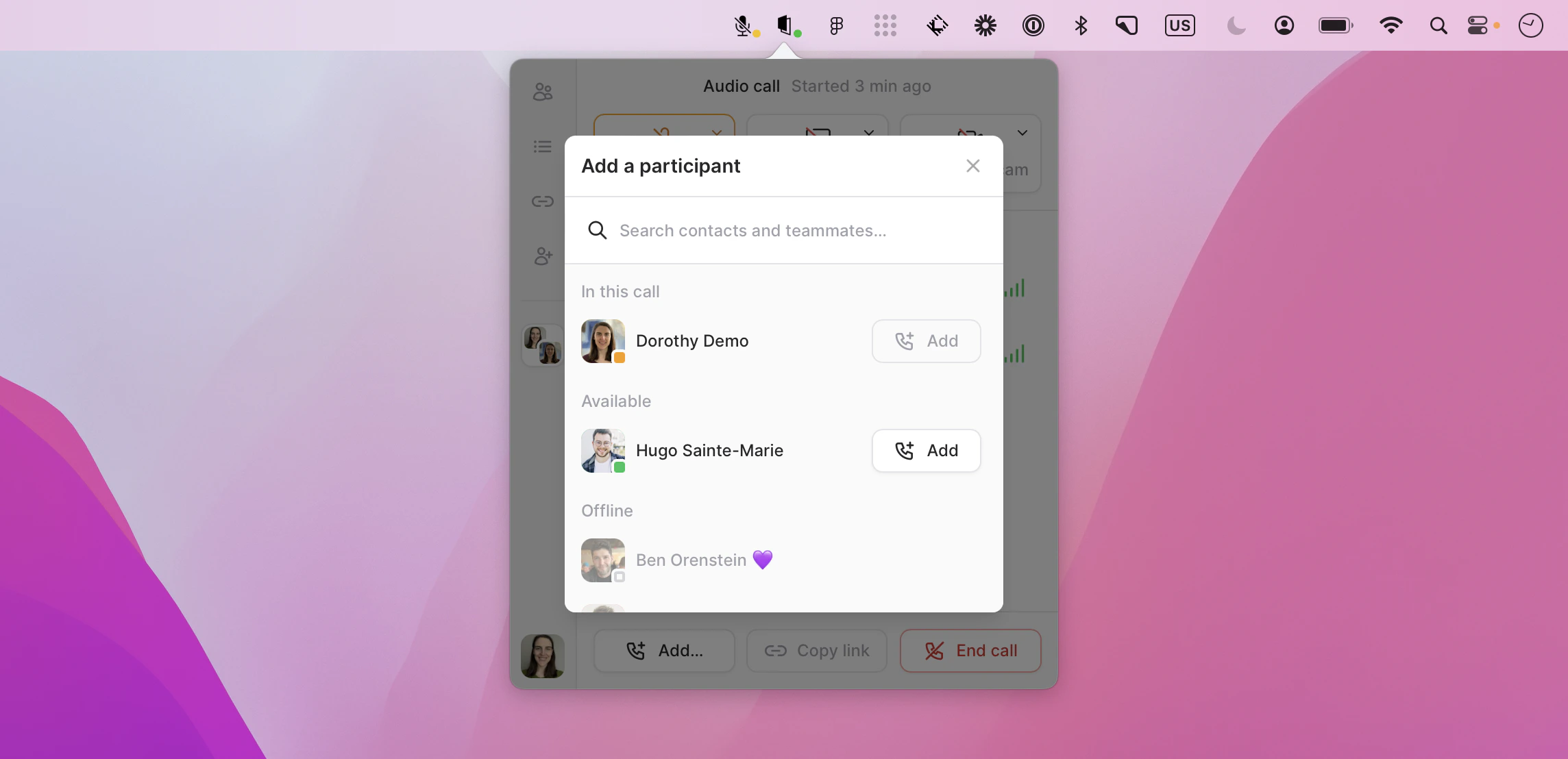
Then, click **Add** next to the person you want to invite to the call:
<img src="https://mintcdn.com/tuple-0f82e5be/O4IiteXcXoa48ycm/images/pairing-with-tuple/adding-more-call-participants/add-person-to-call-list.png?fit=max&auto=format&n=O4IiteXcXoa48ycm&q=85&s=48f16215a6b9fba74eefeb30bc387b18" alt="Participant picker with the Add button next to a teammate" width="2288" height="1108" data-path="images/pairing-with-tuple/adding-more-call-participants/add-person-to-call-list.png" />
