> ## Documentation Index
> Fetch the complete documentation index at: https://docs.tuple.app/llms.txt
> Use this file to discover all available pages before exploring further.
# Webcam
To open your preferences, click your avatar at the bottom left of the Tuple popover and select **Settings** from the dropdown:
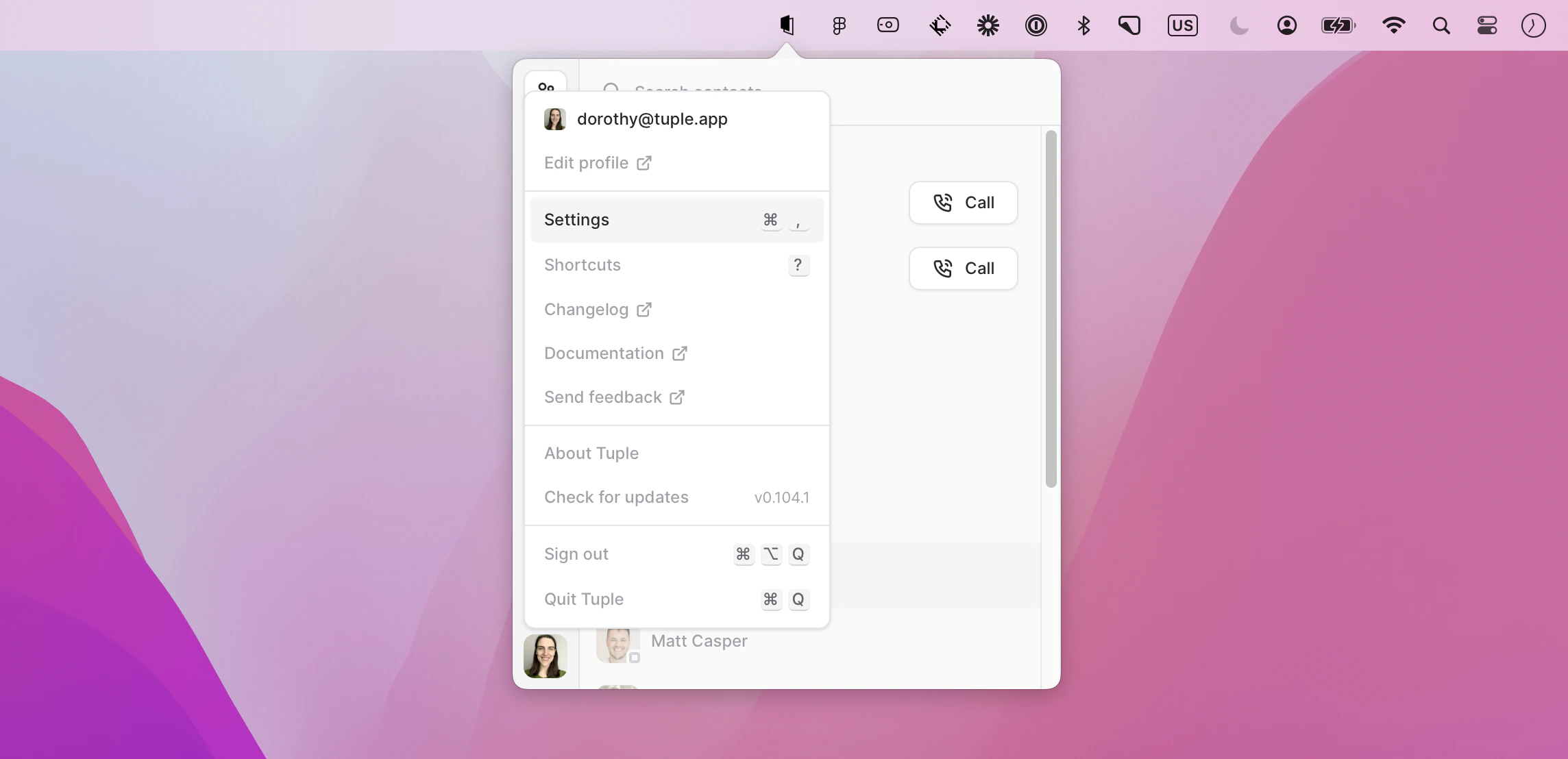 You can also use the keyboard shortcut **cmd + ,** to bring up the menu.
Then select the Webcam tab:
You can also use the keyboard shortcut **cmd + ,** to bring up the menu.
Then select the Webcam tab:
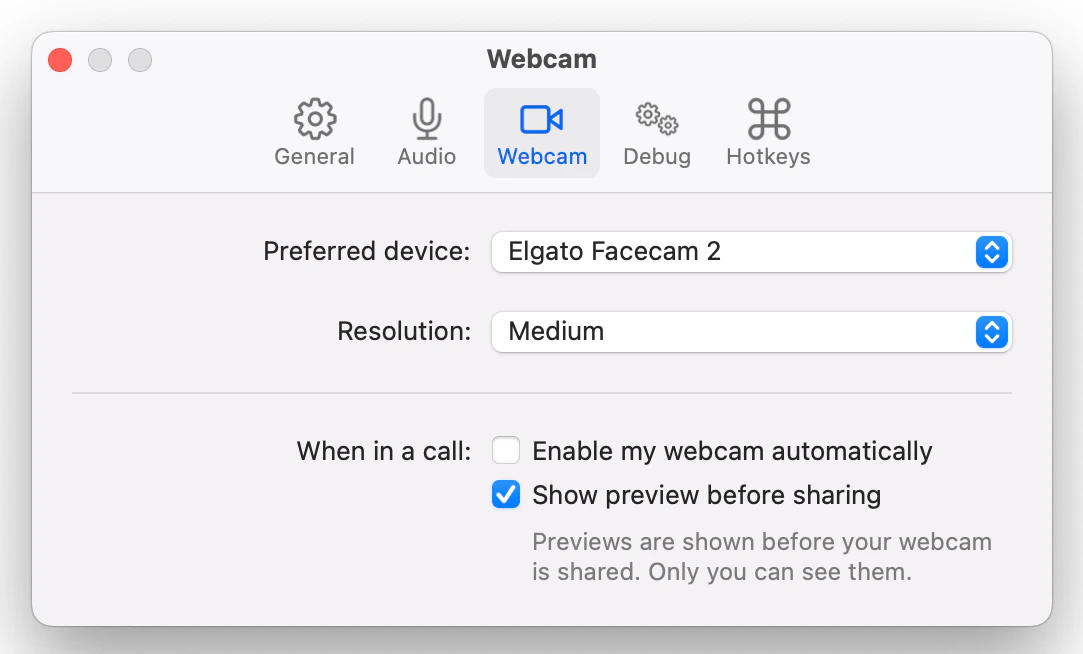 ### Preferred device
Which device Tuple should use by default when sharing your webcam video.
### Resolution
This is the resolution for webcam video shared while you are pairing. Setting the resolution will automatically change the resolution on any current and future calls.
If you have a high-speed connection and want maximum webcam quality, set this higher. If you're working with a relatively poor connection, set your preference to a lower resolution to reduce latency on the call.
The settings correspond to the following resolution:
* Low: 160x120
* Medium: 320x240
* High: 640x480
### When in a call:
#### Enable my webcam automatically
When this setting is on, Tuple will automatically share your webcam video when you join or start a call.
#### Show preview before sharing
If selected, Tuple will ask you to confirm a preview of your webcam before sharing. If deselected, clicking the "Share Webcam" button will share your webcam immediately.
## Background blur and video effects
On supported Macs, macOS includes free background blur and other camera effects that work with Tuple. While your webcam is active, open the camera indicator in the menu bar and enable **Portrait**. On macOS Ventura, open **Control Center**, click **Video Effects**, then enable **Portrait**. Availability depends on your Mac and camera; see [Apple's requirements](https://support.apple.com/105117).
See [Using effects on your webcam](/pairing-with-tuple/sharing-a-webcam-video#using-effects-on-your-webcam) for screenshots and the full walkthrough.
### Preferred device
Which device Tuple should use by default when sharing your webcam video.
### Resolution
This is the resolution for webcam video shared while you are pairing. Setting the resolution will automatically change the resolution on any current and future calls.
If you have a high-speed connection and want maximum webcam quality, set this higher. If you're working with a relatively poor connection, set your preference to a lower resolution to reduce latency on the call.
The settings correspond to the following resolution:
* Low: 160x120
* Medium: 320x240
* High: 640x480
### When in a call:
#### Enable my webcam automatically
When this setting is on, Tuple will automatically share your webcam video when you join or start a call.
#### Show preview before sharing
If selected, Tuple will ask you to confirm a preview of your webcam before sharing. If deselected, clicking the "Share Webcam" button will share your webcam immediately.
## Background blur and video effects
On supported Macs, macOS includes free background blur and other camera effects that work with Tuple. While your webcam is active, open the camera indicator in the menu bar and enable **Portrait**. On macOS Ventura, open **Control Center**, click **Video Effects**, then enable **Portrait**. Availability depends on your Mac and camera; see [Apple's requirements](https://support.apple.com/105117).
See [Using effects on your webcam](/pairing-with-tuple/sharing-a-webcam-video#using-effects-on-your-webcam) for screenshots and the full walkthrough.