> ## Documentation Index
> Fetch the complete documentation index at: https://docs.tuple.app/llms.txt
> Use this file to discover all available pages before exploring further.
# General
To open your preferences, click your avatar at the bottom left of the Tuple popover and select **Settings** from the dropdown:
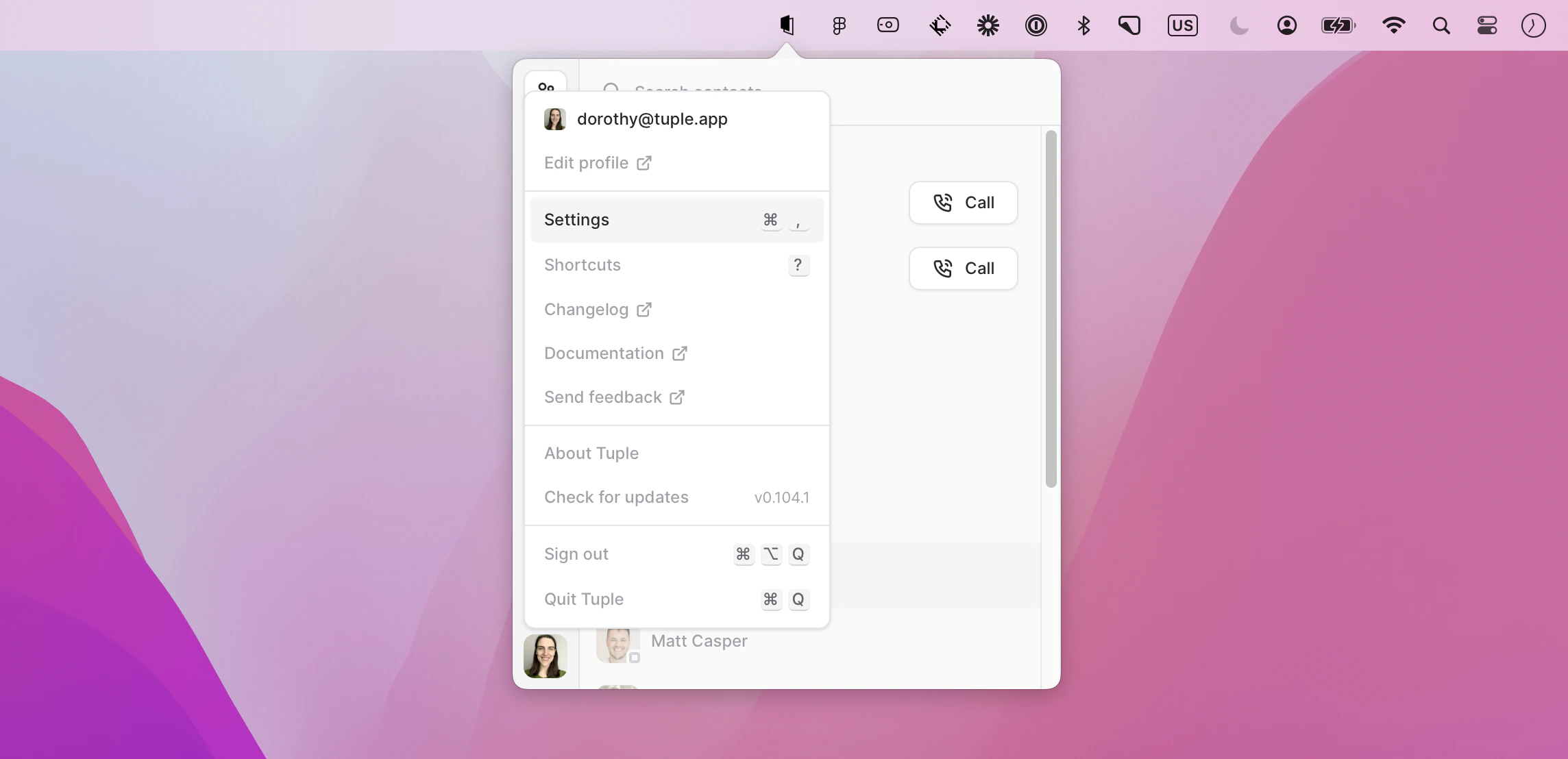 You can also use the keyboard shortcut **cmd + ,**. This will bring up the menu:
 ## Appearance
Select Light mode, Dark mode, or tell Tuple to pick up your system preferences.
## Menu bar icon
Choose which icon Tuple displays in the macOS menu bar. You can pick between the default **Tuple Logo** and **Pear Buddy**. The icon adapts to your system appearance and tints white during active calls.
## Behavior
**Launch Tuple at login**
When this feature is enabled, Tuple will automatically launch when you log into your computer after a restart or explicit logout. Note that it will not launch if your computer is merely locked or asleep.
**Always show dock icon**
With this enabled, Tuple will always have an icon in the dock / command-tab carousel. When disabled, a Tuple icon will only appear in those locations when you're on a call.
**Enable call feedback popup**
When this feature is enabled, the call feedback form will show up after you conclude a Tuple call.
## Privacy
**Show my friends who I'm pairing with**
If selected, people you and your pair both know will be able to see your call's participants in their contact list. You can learn more [here](/pairing-with-tuple/showing-who-youre-pairing-with).
**Report call statistics**
When this setting is on, we get occasional snapshots of the metrics from calls such as frame rate, latency, etc.
## Appearance
Select Light mode, Dark mode, or tell Tuple to pick up your system preferences.
## Menu bar icon
Choose which icon Tuple displays in the macOS menu bar. You can pick between the default **Tuple Logo** and **Pear Buddy**. The icon adapts to your system appearance and tints white during active calls.
## Behavior
**Launch Tuple at login**
When this feature is enabled, Tuple will automatically launch when you log into your computer after a restart or explicit logout. Note that it will not launch if your computer is merely locked or asleep.
**Always show dock icon**
With this enabled, Tuple will always have an icon in the dock / command-tab carousel. When disabled, a Tuple icon will only appear in those locations when you're on a call.
**Enable call feedback popup**
When this feature is enabled, the call feedback form will show up after you conclude a Tuple call.
## Privacy
**Show my friends who I'm pairing with**
If selected, people you and your pair both know will be able to see your call's participants in their contact list. You can learn more [here](/pairing-with-tuple/showing-who-youre-pairing-with).
**Report call statistics**
When this setting is on, we get occasional snapshots of the metrics from calls such as frame rate, latency, etc.